
Video Transcription
Here’s our vent tube. Okay, now the next thing we’re going to do is we’re going to remove this manifold up here on the top.
And two things:
First, we have four bolts that kind of hold it to this pipe, which comes off of the pump.
Okay, so we’re going to separate those first.
And I think those look like about a half inch. Nope, 9-16. So grab a 9-16 and remove those four bolts.
Okay, now those four bolts are out. The next thing we’re going to do is we’re going to take these bolts and nuts off of here to release this manifold. So it’s a 9-16 on top and it’s a 5-8 on the bottom. I broke all but one of the bolts, but the good news about this is two things:
Like I said, it’s going to happen. You’re going to break bolts.
The good news about breaking bolts inside, it’s non-cosmetic. You’re never going to see it, so you can just use whatever bolts you have on hand to throw them in there and hold it together.
So now we’ve got this all loose and we’re going to start separating it. We’re probably going to have to pry this apart to get it to come loose. But we’ll tap on it. We’ll push it around a little. See if we can just get it to break loose all on its own here. There it goes. There we go. There’s a gasket in between, as you can see, that’s just toast. But it’s not a big deal because we’re not going to use it again because we’re not going to use this for gas.
So here’s the manifold. Now we’ll start taking the rest of this stuff out. The next thing I’m going to do is I’m going to take this electrical out here, this whole manifold. And as you can see, this pipe, this goes all the way down to the bottom. That’s how the electricity was pumped up to turn these light bulbs on.
Now the only thing that’s holding this in here, there is just a little collar with one bolt in it right below this piece here. And it’s a 7-16 and it’s just a bolt. It’s threaded right into the manifold. So once I get that out, this whole thing should come out.
All right, now that that’s out, I just have to fish this out. You can see this right here. There’s another one at the bottom that we’ll have to kind of weed through here to get this whole thing out.
Okay, the next thing we’re going to want to do is we’re going to want to take these faces off here just so we don’t damage them or whatnot as we’re working on them. So you just need a real small flathead screwdriver and there should be four screws on these to take them out.
As I started pulling this off, I came to a bit of a conclusion. As I was looking at what the next step is going to be once we pull this off, I’m going to pull this whole unit out. And I saw this old computed at panel. This is a new one just to give you an idea of what it looks like.
So I made the assumption that this was probably the original equipment. But as I got in here and really started looking, I noticed a lot of my bolt holes didn’t match up. And then I also noticed, let me see if I can swing this around here, this bar has been busted off at one point in time. But I just started noticing, you know, that a lot of these bolts, one of them is missing here because it doesn’t line up, it won’t fit. And of course, this busted mounting bracket.
So to me, thatTo me, that means that this was probably a clock face at one time. The thing we’re going to do is take this computer unit. computer unit out of here. On mine, there’s two bolts, but there could be three on yours. Two on this side and one in the middle on the other. It’s a 9 16ths bolt on top and a half inch nut on the bottom.
Okay, the last thing we’re going to need to do here is we’ve got this little bar right here that goes from the bottom of the computer to this pump. And that, of course, that’s what spins all the dials. Now you see this little piece right here. This is just a little lead safety type wire. And so what we have to do is we have to clip this wire off, pull this pin out, and then this should come free of the bottom. So now we got that loose. We got this pin. There’s the pin. And now we should be able to twist this computer and lift this whole unit apart. Now the reason we have to twist this computer is you have two tabs that are up on top and one tab that’s down here on the bottom. So you can’t lift it out because it’s kind of caught up in there. So we twist it a little to free it and then we lift it straight up. You see how that came apart right down there? That’s all we needed to do. Now this unit’s pretty heavy, so be careful with it.
Well, that’s the end of our third part in our four-part series on how to disassemble your Wayne 60. In our last video, we’ll finish off the disassembly showing you how to remove the rest of the internal parts including the pump and motor. We’ll remove the lower sides, the railings, and the base of the unit.
Now as you’re working, if you don’t have a copy of our catalog here, I highly recommend you drop us a line and get one. It’s absolutely free and as you start pulling your pump apart, you can see what parts you’re going to need to replace. And you can circle them or you can just highlight them like I do. That way you’re going to have an ongoing tab of the parts that you need so when you put your order in, it’s all there for you. I’ll tell you, there’s nothing worse than putting your pump back together and realizing that you’re missing a part.
The last thing, if you look in our catalog and you see that there isn’t a part in there that you need, don’t panic. Just give us a call. There’s a pretty good chance that we have that part and it’s just not in the catalog yet. We’re in the process of redoing our catalog and when it’s done, you’re going to see that we’ve gone from our old 120-page catalog to 180-page catalog. That’s how many more parts we have available.
Also, while you’re disassembling your pump, if you run into any snags, feel free to give us a call at 402-592-1710. You can drop us an email at diane at gaspumpheaven.com. Also, there’s another easy way to reach us and it’s on our Facebook page, which is at facebook.com slash gaspumpheaven. There’s no spaces in between there. You can also link to our Facebook from our website, which is at gaspumpheaven.com. Now, when you get to your Facebook page, make sure that you like us. Then, when you’re on our page, go to where it says write something, type out your question, and we’re going to get back to you as quick as we can.
Well, that’s it for today, guys. Thanks for watching. I’m going to take my post room away. I’m going to take my post room. I’m going to take my post room away. I’m going to take my post room away. I’m going to take my post room away.
Products in This Video
-
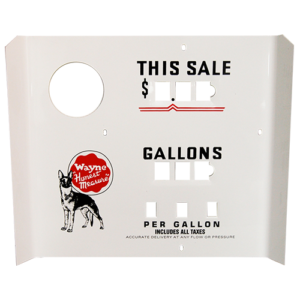
WAYNE 100 FACE
$60.00 -
WAYNE 60 “O” RING
$2.00 -

Wayne 60 and 60-C
-
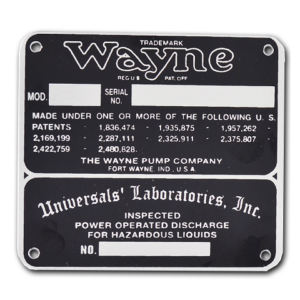
WAYNE 60 “MODEL” I.D. TAG
$10.00